
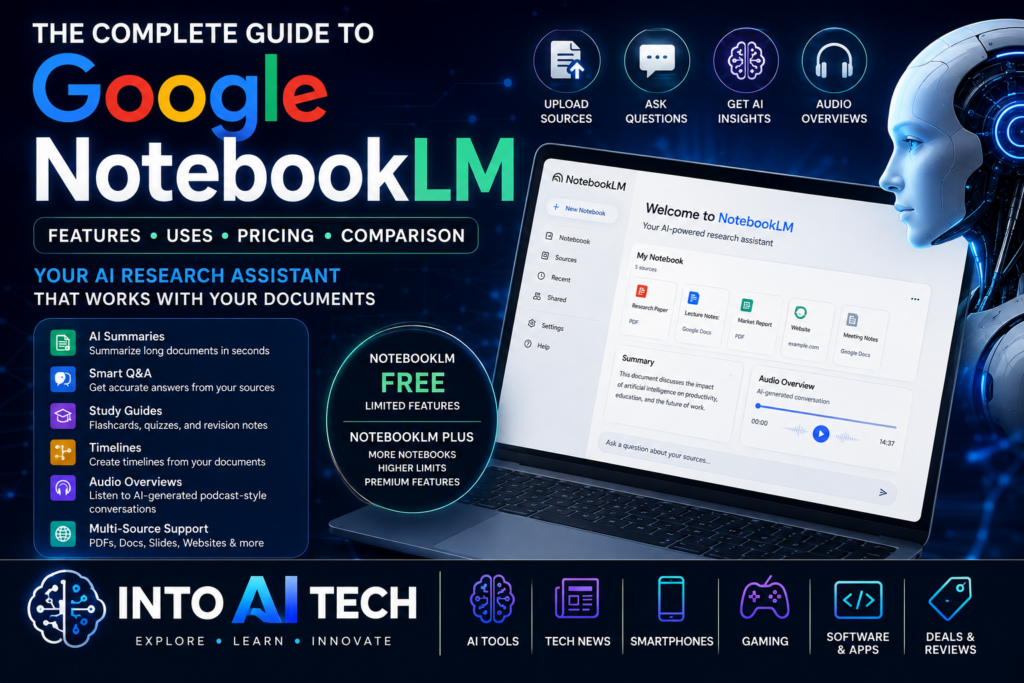
Artificial intelligence has changed the way people search for information, write content, and study complex topics. However, most AI chatbots answer questions using general knowledge rather than your personal documents.
Google NotebookLM solves this problem by letting users upload their own sources—including PDFs, Google Docs, websites, presentations, and text files—and then asking questions specifically about that information.
Instead of searching the entire internet, NotebookLM focuses on your selected documents, making it an excellent tool for students, researchers, professionals, writers, and businesses.
In this guide, we’ll explain everything you need to know about Google NotebookLM, including its features, pricing, best use cases, advantages, limitations, and how it compares with ChatGPT and other AI assistants.
Supported File Types
NotebookLM supports:
- Google Docs
- Google Slides
- Websites
- Text files
- Markdown files
- Copied text
NotebookLM Pricing
| Plan | Price | Best For |
|---|---|---|
| Free | Free | Students, casual users |
| NotebookLM Plus | Included with eligible Google AI plans or Workspace editions | Professionals, teams, power users |
Key Takeaways
- AI research assistant powered by Google.
- Uses your own documents as sources.
- Supports PDFs, Google Docs, websites, and more.
- Generates summaries, FAQs, study guides, timelines, and notes.
- Creates AI Audio Overviews.
- Available in Free and Plus plans.
- Excellent for students, researchers, businesses, and content creators.
What Is Google NotebookLM?
Know More About Google Gemini Spark Launch In India
NotebookLM is an AI-powered notebook that helps users interact with their own information instead of relying solely on public internet data.
You upload your documents, and NotebookLM can:
- Summarize them
- Answer questions
- Explain concepts
- Find important facts
- Create study notes
- Generate timelines
- Produce podcast-style audio discussions
Unlike traditional AI chatbots, NotebookLM references your uploaded material when generating responses, reducing the likelihood of unsupported answers.
NotebookLM Vs ChatGPT
| Feature | NotebookLM | ChatGPT |
|---|---|---|
| Works with your own documents | Yes | Yes (with supported uploads, depending on plan) |
| Internet knowledge | Limited to sources unless additional features are used | Broad general knowledge plus supported web capabilities (depending on plan) |
| Audio Overviews | Yes | No native podcast-style feature |
| Source citations | Yes | Available in some workflows, depending on features used |
| Research notebooks | Yes | Not notebook-centric |
| Study guides | Excellent | Excellent |
| Coding | Limited | Excellent |
| Creative writing | Good | Excellent |
| Brainstorming | Good | Excellent |
How NotebookLM Works
The process is straightforward:
- Create a notebook.
- Upload your sources.
- Wait for indexing.
- Ask questions.
- Receive answers based on your uploaded content.
- Generate summaries, guides, or audio.
This makes it especially useful for projects involving multiple documents.
Conclusion
Google NotebookLM is more than a note-taking application—it’s an AI-powered research assistant designed to help users work with their own information more efficiently. Whether you’re studying for exams, writing reports, creating content, or managing business knowledge, NotebookLM offers a practical way to organize, understand, and interact with documents.
Its source-grounded responses, study tools, and Audio Overviews make it one of the most compelling AI productivity tools available today.